Home Shop Download Area Contact Cart

How to Change License Microsoft Office 2013

1. Type on the search box “control panel” the click the control panel icon 2. Click the Program icon 3. Click the Programs and Features Icon 4. Right Click the Microsoft Office 2013 Icon, Then Choose “Change” 5. Choose “enter the product key” Then click the “Continue” button 6. Enter your Genuine Product Key, Then … Read more

How to unmount Drive / Disk Management Windows 10

1. Press the Win + R keys to open Run, type diskmgmt.msc into Run, and click/tap on OK to open Disk Management. 2. Right click or press and hold on the drive (ex: “F”) you want to unmount, and click/tap on Change Drive Letter and Paths. (see screenshot below) 3. Click/tap on the Remove button. (see screenshot below) 4. Click/tap on Yes to confirm. (see screenshot below) 5. When finished, you can close … Read more

HOW TO ACTIVATE OFFICE / VISIO / PROJECT BY PHONE ACTIVATION ?

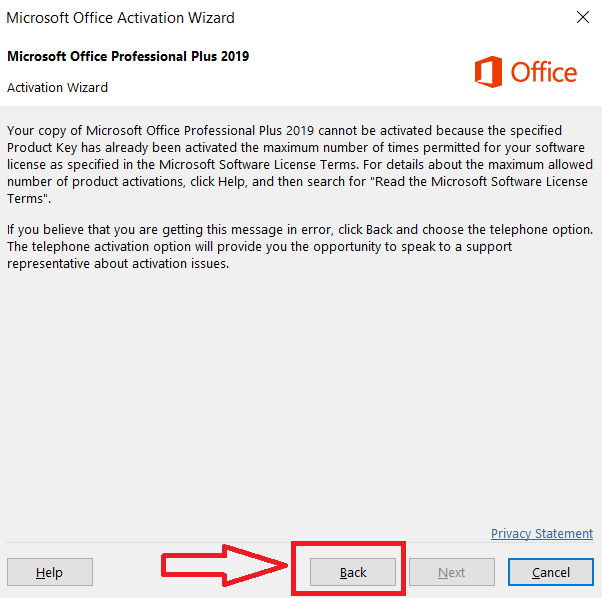
Please follow These Steps : If you find a window screen like this, then click “Back“ 1. Please select “I want to activate the software by telephone” Now you can get your Confirmation ID by dialing this 63-digit Installation ID by calling one of the numbers you see on the same screen and following the instructions … Read more