How to save sent message outlook
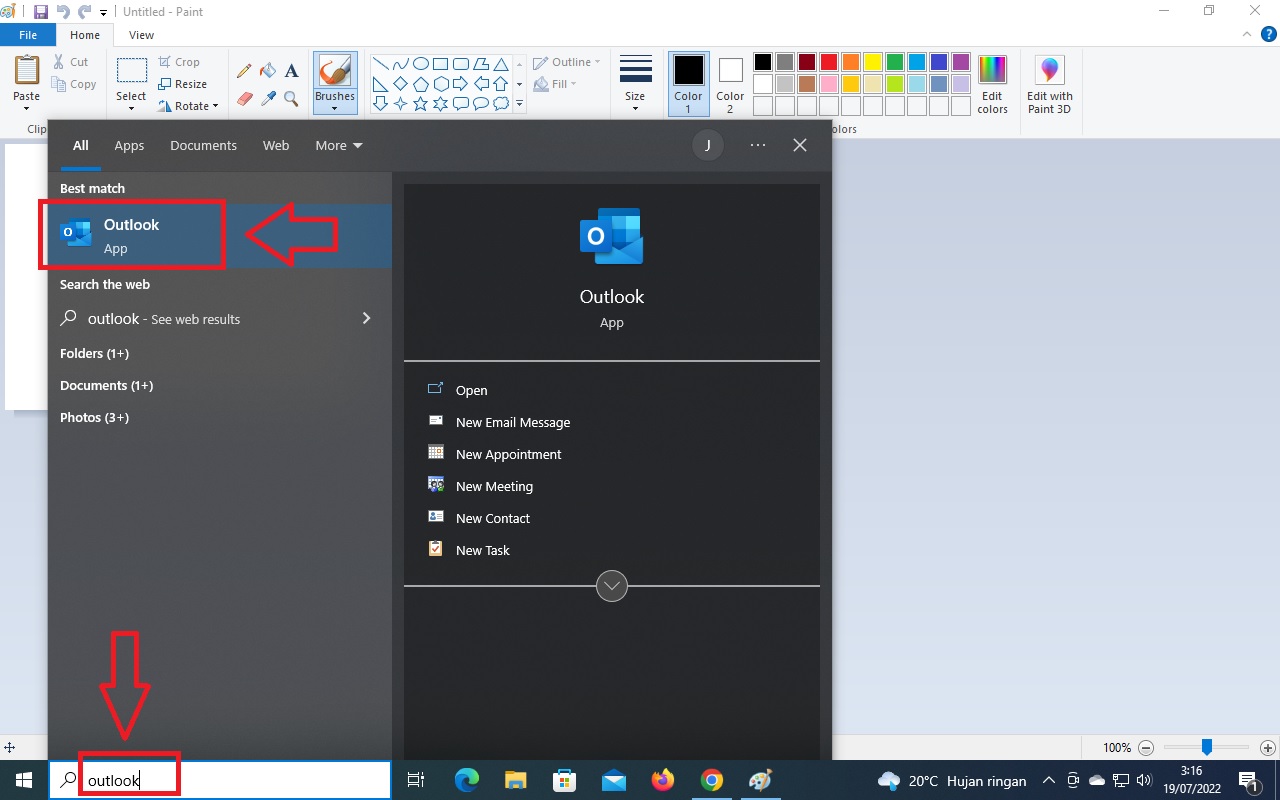
1. Open Outlook 2. Click File Menu 3. Click Options 4. Click Mail Menu 5. Check Box “save copies of messages in the sent items folder” BEST SELLING PRODUCTS

 isep uyun
1. Open Outlook 2. Click File Menu 3. Click Options 4. Click Mail Menu 5. Check Box “save copies of messages in the sent items folder” BEST SELLING PRODUCTS

1. Type on the search box “control panel” the click the control panel icon 2. Click the Program icon 3. Click the Programs and Features Icon 4. Right Click the Microsoft Office 2013 Icon, Then Choose “Change” 5. Choose “enter the product key” Then click the “Continue” button 6. Enter your Genuine Product Key, Then … Read more

1. Press the Win + R keys to open Run, type diskmgmt.msc into Run, and click/tap on OK to open Disk Management. 2. Right click or press and hold on the drive (ex: “F”) you want to unmount, and click/tap on Change Drive Letter and Paths. (see screenshot below) 3. Click/tap on the Remove button. (see screenshot below) 4. Click/tap on Yes to confirm. (see screenshot below) 5. When finished, you can close … Read more

During WFH, sometimes you may encounter a situation where a task requires you to use another computer even though the computer is located far from you. In this situation a remote desktop is needed. Anydesk is an application that will help you remote desktop. Nowadays more and more people are doing various jobs via the … Read more
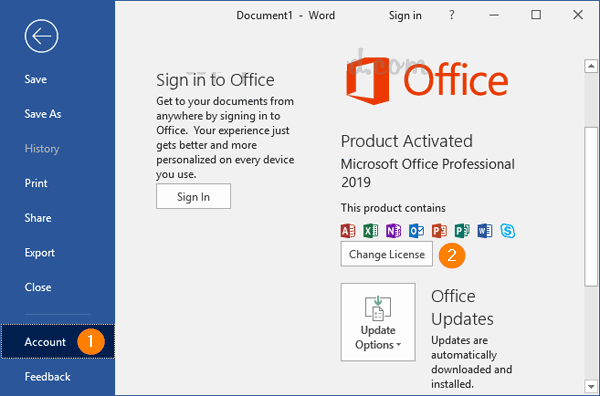
1. Open Office Application ( Word / Excel / etc. ) 2. Click Account Menu 3. Click Change License Button 4. Enter Product Key Instead 5. Click Activate Product Icon 6. Choose “I Want Activate the Software By Telephone” if your Product Key is Phone Activation Key Then you can see this link for activation … Read more

2. TYPE “SLUI 4” ON RUN.EXE 3. CHOOSE YOUR COUNTRY OR REGION “UNITED STATES” 4. SEND US THE INSTALLATION ID (SCREENSHOT) TO EMAIL admin@genuinelicencekey.com , WE WILL SEND BACK THE CONFIRMATION ID, OR YOU CAN CALL THE TOLL FREE TO GET THE CONFIRMATION ID 5. ENTER THE CONFIRMATION ID BEST SELLING PRODUCTS
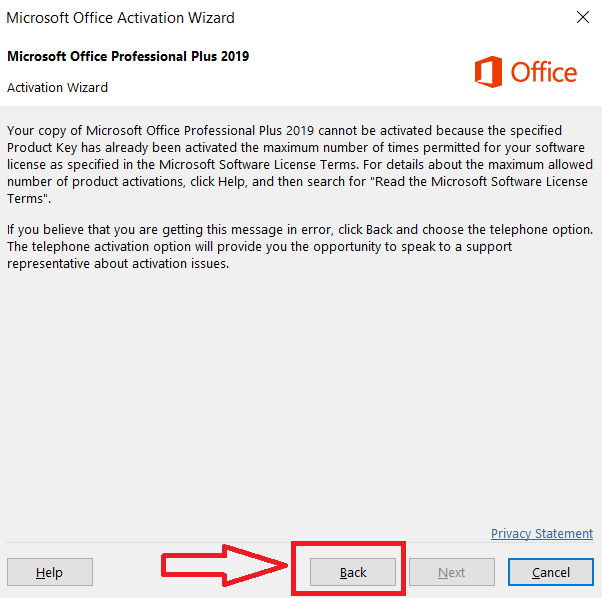
Please follow These Steps : If you find a window screen like this, then click “Back“ 1. Please select “I want to activate the software by telephone” Now you can get your Confirmation ID by dialing this 63-digit Installation ID by calling one of the numbers you see on the same screen and following the instructions … Read more

PLEASE OPEN OFFICIAL LINK :https://setup.office.com/1、Register on the official website and log in to a Microsoft Account 2、Enter office key Choose your region and language 3、Install the software1 Signed in asProduct key confirmed: Microsoft Office Pro Plus 2019 ChangeGet your appsyour productMicrosoft Office Pro Plus 2019Your product keyTKNMT-C9VBG-93HK?/********Here’s what to do next:1. Click the Download now … Read more

-The Most Competitive Prices in the Online Software License Market. -Easy to Order with Paypal and Immediate Delivery, No Wait! – Keeping 95% of our Customers Happy over the Last 3 Years! -SSL Secure Payment Data and Protecting Your Personal Information! BEST SELLING PRODUCTS
Trusted digital software license provider since 2020. Fast delivery, easy activation, and responsive support.

